Hello Haskell!
1. Preliminaries
1.1. Homework
- Read chapter 2 of Haskell programming from first principles, covering basic Haskell syntax.
- To the end-of-chapter exercises.
1.2. Organizational
- Class on May 9th will take place remotely (I'll distribute a webex link via rocketchat closer to the time).
- Class on May 16th will be cancelled - I'm in America for a conference.
1.3. Lambda calculus summary
- The lambda calculus is a formal system (i.e., a logic) for reasoning about functions.
- In the lambda calculus, computation is modelled as a form of simplification, using the following rules:
- \(\beta \)-reduction. \((\lambda x . f(x))(y) \Rightarrow f(y)\)
- \(\alpha \)-conversion. \(\lambda x . x \Rightarrow \lambda y . y\)
- \(\eta\)-reduction. \(\lambda x . f(x) \Rightarrow f\)
- Haskell can be thought of as a kind of lambda calculi, where running a program amounts to reducing a complex expression until we reach normal form.
- Reduction doesn't always converge on a normal form; sometimes expressions diverge; this corresponds to non-terminating computations (imagine, for example, a program implementing a timer that runs indefinitely).
1.4. Chapter 1 exercises, p18 n7
\[(\lambda x y z . x z(yz))(\lambda x . z)(\lambda x . a)\]
- Curry arguments: \(( \alert{\lambda x . \lambda y . \lambda z} . xz(yz) )(\lambda x . z)(\lambda x . a)\)
- \(\alpha \)-conversion: \((\lambda x . \lambda y . \alert{\lambda z_1} . x\alert{z_1}(yz_1))(\lambda x . z)(\lambda x . a)\)
- \(\beta \)-reduce: \((\lambda y . \lambda z_1 . (\alert{\lambda x.z})z_1(yz_1))(\lambda x . a )\)
- \(\beta \)-reduce: \(\lambda z_1 . (\lambda x . z)z_1(\alert{(\lambda x . a)}z_1)\)
- \(\beta \)-reduce: \(\lambda z_1 . (\lambda x . z)z_1 \alert{a}\)
- \(\beta \)-reduce: \(\lambda z_1 . \alert{z} a\)
- Normal form!
2. Getting started with Haskell
2.1. Expressions and declarations
- Everything you write in Haskell is either an expression or a declaration.
- Expressions can be values, functions, functions applied to values, etc.
- Declarations are bindings that allow us to name complex expressions.
Here are some examples of expressions in Haskell:
1
1 + 1
"Icarus"
2.2. The REPL
- The GHCi REPL stands for the Glasgow Haskell Compiler interactive Read-Eval-Print-Loop.
- It allows us to evaluation Haskell expressions directly without the need to save the program in a source file.
- There are a few different ways to get a GHCi instance:
- In the browser: https://tryhaskell.org/
- By installing GHC and running
ghciin the terminal.
2.3. REPL cont.
- When we type an expression into the REPL it automatically evaluates it for us.
- The following expressions are already in normal form, so they simply evaluate to themselves.
ghci> 1
1
ghci> "Icarus"
"Icarus"
2.4. A complication
- In reality, it's a bit more complex than that.
- An expression like
1evaluates to an integer, but technically speaking integers aren't the kind of things that can be printed to an output, rather their string representations. - Under the hood, GHCi exploits Haskell's type system to determine whether an expression is showable; what we see is given by the function associated with the showable type class.
- We'll learn more about what this means later in the semester.
2.5. Evaluating arithmetic expressions
- GHCi can be used as a basic calculator by inputting arithmetic expressions.
- Complex expressions are evaluated until we reach normal form:
ghci> ((1 + 2) * 3) + 100
109
- Note that GHCi doesn't show us any of the intermediate steps.
- N.b. expressions that can be reduced are called redexes (i.e., reducible expressions).
2.6. Functions
- Functions in haskell are particular kinds of expressions, which play a very important role.
- Just like mathematical functions, they map inputs to outputs, in a determinate fashion.
- A Haskell function always evaluates to the same result when given the same argument values.
- This property is known as referential transparency, and makes Haskell programs extremely straightforward to reason about.
- For those of you with some experience programming in an imperative language like C, this is quite a departure! In imperative languages, evaluating a line of code might affect the state in a way which changes subsequent evaluations.
2.7. Referential transparency
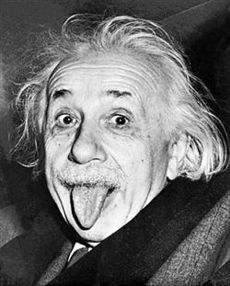
"Insanity is doing the same thing over and over and expecting different results." (Albert Einstein)
2.8. More on functions
There are a number of different ways of declaring functions in haskell. Here is the simplest way:
ghci> triple x = x * 3
ghci> triple 4
12
Function names always start with lower case letters in haskell. It's good practice to use descriptive function names, which conventionally use camel case, e.g.:
ghci> multiplyByThree x = x * 3
ghci> multiplyByThree 4
12
2.9. Abstractions
- Note that the equals sign
=indicates that this is a declaration rather than an expression. - Note that declarations are much like abstractions, in the sense that the variable(s) to the left of the
=bind the corresponding variable(s) to the right. - In fact it's also possible to define functions directly as abstractions, using the following syntax:
ghci> triple = \x -> x * 3
ghci> triple 4
12
ghci> (\x -> x * 3) 4
12
2.10. Call back
- Remember when I said that printing values in GHCi is more complicated than it first appears?
- Try evaluating an abstraction, e.g.,
ghci> (\x -> x * 3)
2.11. Intermission
How would we declare a function that has one parameter and words for al the following expressions?
pi * (5 * 5)
pi * (10 * 10)
pi * (2 * 2)
pi * (4 * 4)
Note that pi is an expression that is given by the Haskell Prelude. The prelude is a module (i.e., a set of declarations) that is implicitly imported by default.
2.12. Solution
ghci> circleArea radius = pi * (radius * radius)
ghci> circleArea 5
78.53981633974483
Note that as well descriptive function names, we can also use descriptive variable names; there's no reason (aside from brevity) that we have to use single letters as variable names.
2.13. Prefix vs. infix
As you've probably gathered, the syntax for function application in Haskell just involves whitespace, i.e.., f x means \(f(x)\).
The arithmetic operators like + are infix operators; they can be used as ordinary functions by enclosing them in paretheses:
ghci> 200 + 300
500
ghci> (+) 200 300
500
ghci> ((+) 200) 300
500
2.14. Declarations in the REPL
We can define functions and later use them with a single REPL session; the REPL has a limited form of state.
ghci> y = 10
ghci> x = 10 * 5 + y
ghci> myResult = x * 5
ghci> myResult
300
You can quit the REPL by typing :q; declarations won't persist between REPL sessions, so typing myResult in a new session will give you the following error:
ghci> myResult
error: Variable not in scope: myResult
2.15. Declarations in source files
In order to get your declarations to persist, you need to write them into source files (called modules). Try saving the following as learn.hs.
module Learn where

y = 10
x = 10 * 5 + y
myResult = x * 5
You can now load the module in GHCi.
ghci> :l learn.hs
Ok, one module loaded.
ghci> myResult
300
2.16. Tips for writing source files
A module must always start with a module declaration module MyModule where; the module name should always start with a capital letter, unlike a function declaration.
White space and line-breaks are significant; the following won't compile; the second line should be indented:
x = 10 *
5 + y
Comments are lines starting with a double dash.
-- a random declaration serving no apparent purpose:
x = 10 * 5 + y
2.17. More tips
Using a text editor with support for Haskell syntax highlighting will be a big help. Some options:
- VS Code.
- Probably the most popular text editor right now, with excellent haskell support built in.
- Emacs (with
haskell-mode).- This is what I use. If you're not already familiar with emacs, I definitely wouldn't recommend it.
- Notepad++
- I don't really know anything about this, but apparently it's a good option if you're running Windows.
You can also just use the online Haskell playground, which has syntax highlighting baked in.
2.18. Basic arithmetic
Basic arithmetic can help us get a feel for how haskell expressions are evaluated, e.g., 1 + 2 * 9 - 10.
2.19. Associativity and precedence
Arithmetic infix operators in haskell:
+: addition-: subtraction*: multiplication/: fractional division
You can get information about operator associativity and precedence using the :info command in GHCi.
ghci> :i (+)
infixl 6 +
N.b. this will also give you information about the type of the expression. This won't be relevant yet, but will be important soon.
2.20. The $ operator
This $ is an important infix operator that is often used to write terse haskell code without parentheses. Here is its definition:
f $ a = f a
This is an infixr operator with the lowest possible precedence:
(2^) $ 2 + 2
(2^) (2 + 2)
2.21. let and where
letis used to introduce an expression.whereis a declaration that is bound in its containing syntactic construct.
printInc n = print plusTwo
  where plusTwo = n + 2
printInc n = let plusTwo = n + 2
               in print plusTwo
2.22. Intermission
z = 7
x = y ^ 2
waxOn = x * 5
y = z + 8
Write out what will happen when you run the following:
10 + waxOn(+ 10) waxOn(-) 15 waxOn(-) waxOn 15
2.23.
\(\mathscr{Fin}\)